
Download LinkedBase – AI‑Driven LinkedIn Lead Generation Tool
Overview
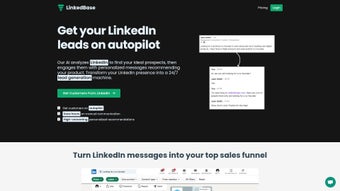
LinkedBase is an AI‑powered web application that transforms the way businesses generate leads on LinkedIn. By combining sophisticated profile analysis with automated, personalized outreach, LinkedBase eliminates the tedious manual work that typically eats up sales teams’ time. Users begin by creating a product profile—entering key details such as product name, value proposition, and ideal consumer characteristics.
The platform then scans LinkedIn’s massive professional network, matches prospects against the defined criteria, and initiates conversations with hyper‑personalized messages. Timing is intelligently optimized: the AI learns the best moments to send initial outreach, follow‑ups, and re‑engagements, dramatically increasing response and conversion rates. Beyond messaging, LinkedBase continuously monitors conversations, flags high‑potential leads, and supplies actionable data insights for future targeting.
Robust security protocols protect user data, while flexible subscription plans let businesses scale their outreach as they grow. In short, LinkedBase offers a secure, automated, and data‑driven solution that lets sales and marketing teams focus on closing deals rather than hunting for them.
Key Features & Benefits
- AI‑Powered Prospect Identification: Scans millions of LinkedIn profiles in seconds, filtering by industry, seniority, location, and custom attributes you define.
- Personalized Message Generation: Uses natural‑language processing to craft tailored outreach that mirrors the prospect’s tone and interests.
- Smart Timing Engine: Learns optimal sending windows based on historical engagement data, ensuring messages land when prospects are most receptive.
- Automated Follow‑Ups: Sets multi‑step follow‑up sequences that adapt to prospect responses, reducing the risk of being forgotten.
- Conversation Monitoring Dashboard: Real‑time view of all active chats, with AI‑driven sentiment analysis to prioritize hot leads.
- Data Insights & Reporting: Generates weekly performance reports, highlighting conversion rates, best‑performing message templates, and demographic trends.
- Secure Cloud Architecture: End‑to‑end encryption, GDPR compliance, and role‑based access controls keep your prospect data safe.
- Flexible Subscription Management: Tiered plans (Starter, Growth, Enterprise) let you add seats, increase message volume, or unlock premium AI models.
- Integrations: Connects with CRM platforms like HubSpot, Salesforce, and Pipedrive, as well as Zapier for custom workflows.
- Cross‑Platform Accessibility: Fully web‑based; works on any modern browser across Windows, macOS, Linux, and mobile devices.
These features collectively enable businesses to scale their LinkedIn outreach without sacrificing personalization—a balance that traditionally required a large sales team. The AI continuously refines its targeting based on performance metrics, meaning the more you use LinkedBase, the smarter it becomes. This self‑learning loop not only boosts conversion rates but also provides a clear ROI through detailed analytics. Whether you’re a solo entrepreneur looking to fill a sales pipeline or a multinational corporation aiming to nurture thousands of prospects, LinkedBase adapts to the scope of your operation.
Installation, Setup & Compatibility
Step‑By‑Step Installation
Because LinkedBase is a SaaS solution, there is no traditional software download or local installation required. Follow these simple steps to get started:
- Visit the official website: Navigate to LinkedBase.com and click “Start Free Trial.”
- Create an account: Provide a valid email address, set a strong password, and verify your account via the confirmation link.
- Select a plan: Choose between Starter (free limited), Growth (monthly), or Enterprise (custom pricing). You can upgrade later without losing data.
- Connect LinkedIn: Authorize LinkedBase to access your LinkedIn account using OAuth. This grants the AI permission to read profile data and send messages on your behalf.
- Configure your product profile: Input product name, tagline, key benefits, and define ideal buyer personas using the intuitive drag‑and‑drop criteria builder.
- Set outreach parameters: Choose message cadence, follow‑up intervals, and any specific time‑zone preferences.
- Launch the campaign: Hit “Start Campaign.” The AI will immediately begin prospect discovery, message generation, and scheduling.
Operating System & Browser Support
LinkedBase runs entirely in the cloud, making it compatible with any operating system that supports modern browsers. Tested browsers include Chrome (latest), Firefox (latest), Edge (Chromium), Safari (12+), and Opera. The platform adheres to responsive design principles, ensuring a seamless experience on desktop, tablet, and smartphone screens. Because no local files are stored, you benefit from automatic updates, security patches, and feature rollouts without any manual effort.
Best Practices for Secure Usage
- Enable two‑factor authentication (2FA) on your LinkedBase account to protect against unauthorized access.
- Regularly review the “Connected Apps” section in LinkedIn to ensure only LinkedBase has the necessary permissions.
- Follow LinkedIn’s outreach policies—avoid sending bulk messages that could be flagged as spam.
- Utilize the built‑in “Do Not Contact” list to respect prospects who request removal.
By following these setup steps and best practices, you’ll have a fully operational, secure LinkedIn lead generation engine ready to drive qualified conversations within minutes.
Pros, Cons & Frequently Asked Questions
Pros
- Automates time‑consuming prospect research and outreach.
- Delivers hyper‑personalized messages that improve response rates.
- AI continuously optimizes timing and messaging based on real‑world data.
- Comprehensive analytics help refine future campaigns.
- Secure, GDPR‑compliant infrastructure protects sensitive data.
- Integrates smoothly with leading CRMs and automation tools.
Cons
- Requires a LinkedIn account with sufficient connection limits for large campaigns.
- Initial learning curve for setting up detailed buyer personas.
- Higher‑tier plans can be costly for very small businesses.
- Dependent on LinkedIn’s API limits; extremely high‑volume outreach may need additional throttling.
FAQ
Is LinkedBase safe to use with my LinkedIn account?
Yes. LinkedBase uses OAuth 2.0 for authentication, which means you never share your LinkedIn password. All data transfers are encrypted with TLS 1.3, and the platform complies with GDPR and CCPA standards.
Can I import existing leads from my CRM?
Absolutely. LinkedBase offers native integrations with HubSpot, Salesforce, and Pipedrive, allowing you to sync contacts bi‑directionally. You can also use CSV import via the “Data Hub” feature.
How does the AI personalize messages without sounding generic?
The AI analyzes each prospect’s headline, recent activity, and shared connections to craft a unique opening line. It then combines this with your product value statements, creating a message that feels hand‑written.
What happens if a prospect replies with a “no” or “unsubscribe”?
LinkedBase automatically adds that contact to a “Do Not Contact” list, ensuring no further messages are sent. The system respects LinkedIn’s messaging policies and your own compliance preferences.
Is there a free trial or a free tier available?
Yes. LinkedBase offers a 14‑day free trial with full feature access. After the trial, a free “Starter” tier remains available, limited to 100 messages per month and basic analytics.
Review Summary
Overall Rating: 4.6/5
Pros: Automation, personalization, AI‑driven timing, robust analytics, security.
Cons: Learning curve for persona setup, higher cost for premium plans, API limits on massive campaigns.
Conclusion & Call to Action
LinkedBase represents a significant leap forward for businesses that rely on LinkedIn to source high‑quality leads. By marrying AI‑driven prospect identification with truly personalized outreach, the platform removes the manual grunt work that stalls sales pipelines. The built‑in analytics and conversation monitoring give teams the visibility they need to fine‑tune messaging, while the secure, cloud‑based architecture ensures compliance and peace of mind. Whether you’re a startup looking to kick‑start your first outbound campaign or an established enterprise seeking to scale outreach without hiring additional SDRs, LinkedBase provides a flexible, results‑focused solution.
Ready to supercharge your LinkedIn prospecting? Start your free trial today and experience how AI can turn LinkedIn into a predictable lead engine.






